Tattletail
Tattletail
macOS · Apple Silicon & Intel

Do it once.
Tattletail does it forever.

It records every mouse move, click, scroll and keystroke — then replays them on command. Instantly, after a countdown, or Tuesday at 9:15. Free on GitHub; $19 unlocks the power features.
Download freeRead the docs
Free edition on GitHubNever phones homeNo account
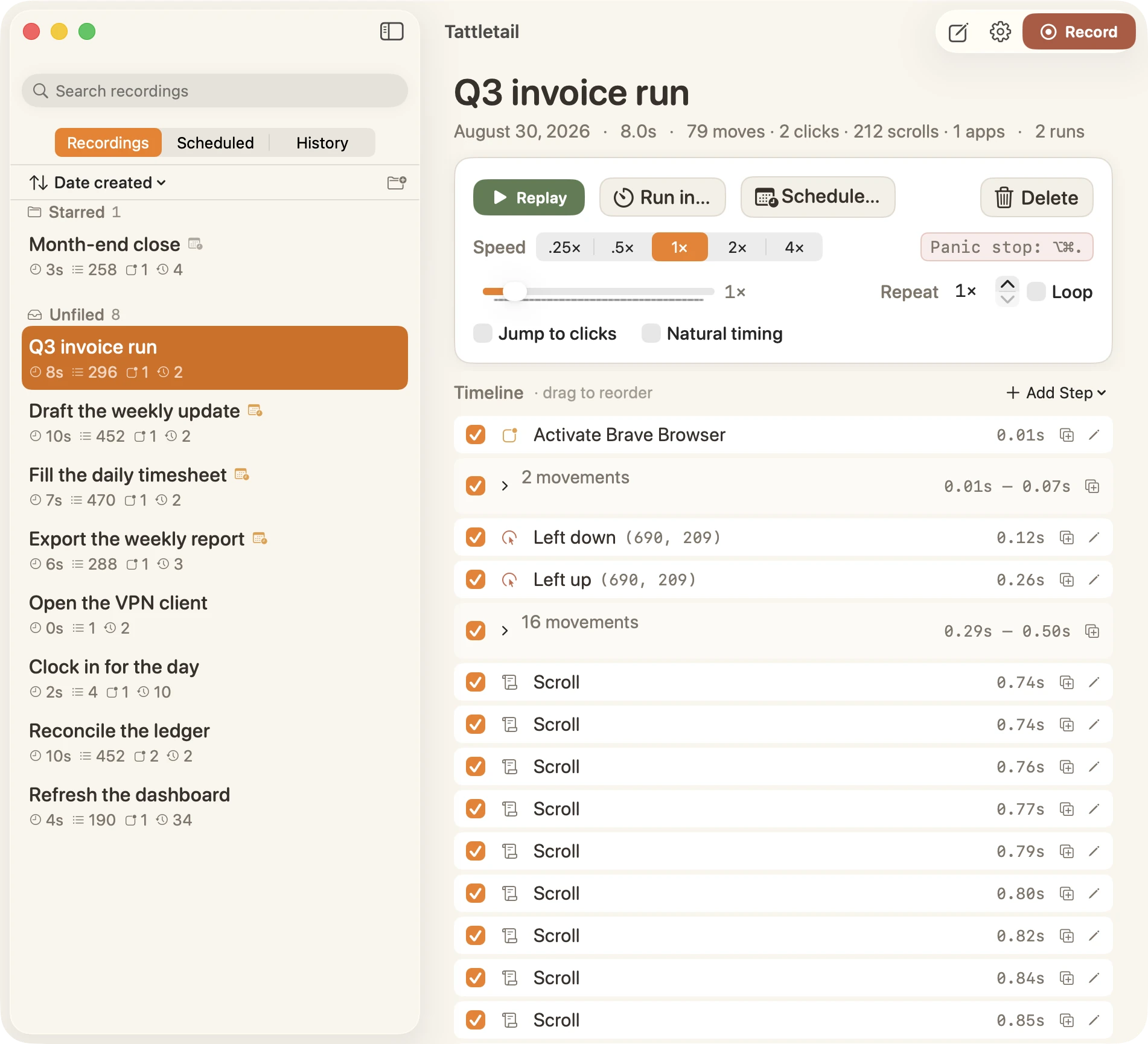
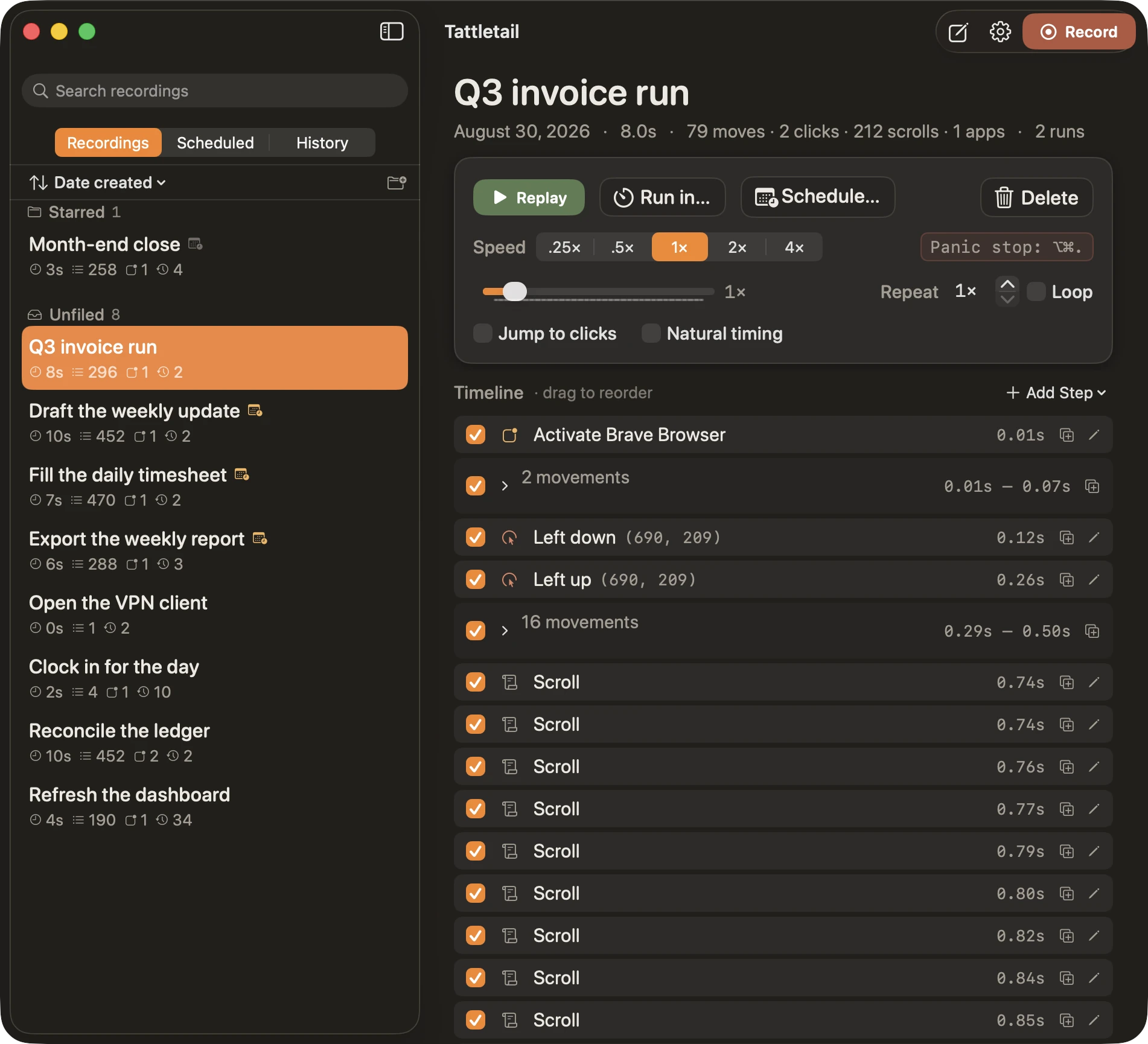
The Tattletail Mac app: a library of saved recordings on the left, and the “Q3 invoice run” recording on the right with its replay speed controls and a timeline of every click, movement and scroll.The Tattletail Mac app: a library of saved recordings on the left, and the “Q3 invoice run” recording on the right with its replay speed controls and a timeline of every click, movement and scroll.
Never phones home
No telemetry, no analytics, no sign-in.
Stays on your Mac
~/Library/Application Support/Tattletail/
Two permissions, asked once
Accessibility to replay, Input Monitoring to record.
Panic stop, always
⌥⌘. halts any replay from anywhere.
The whole loop

Record. Edit. Replay. Repeat.

Faithful recording

Every pixel of the path, with real timing

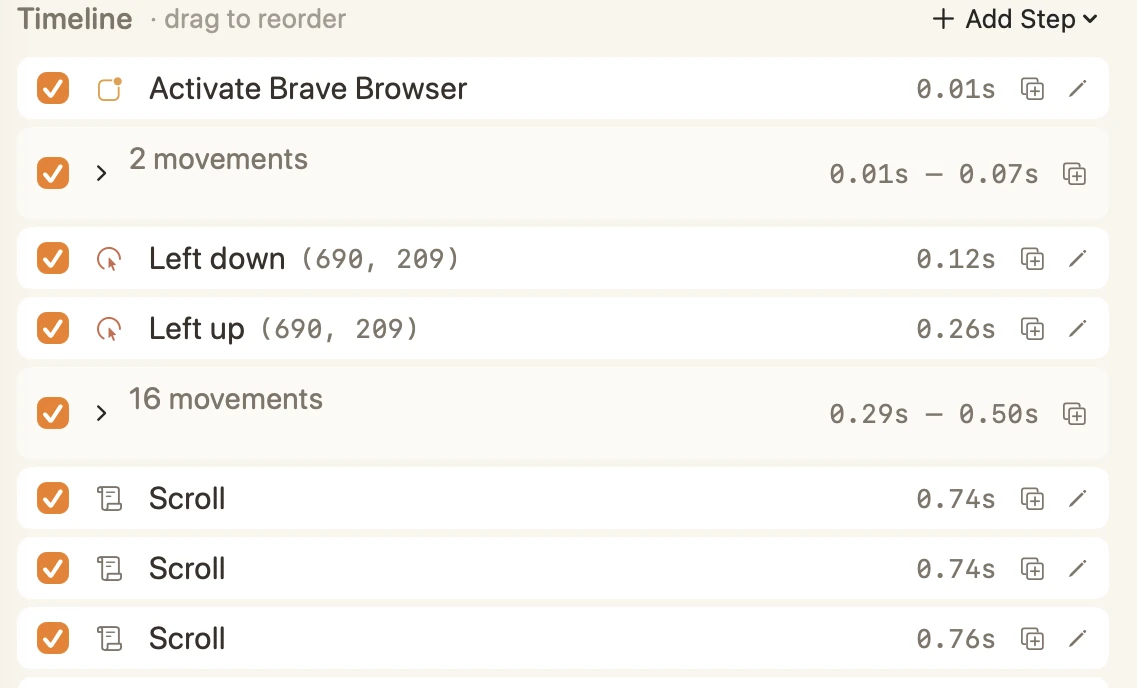
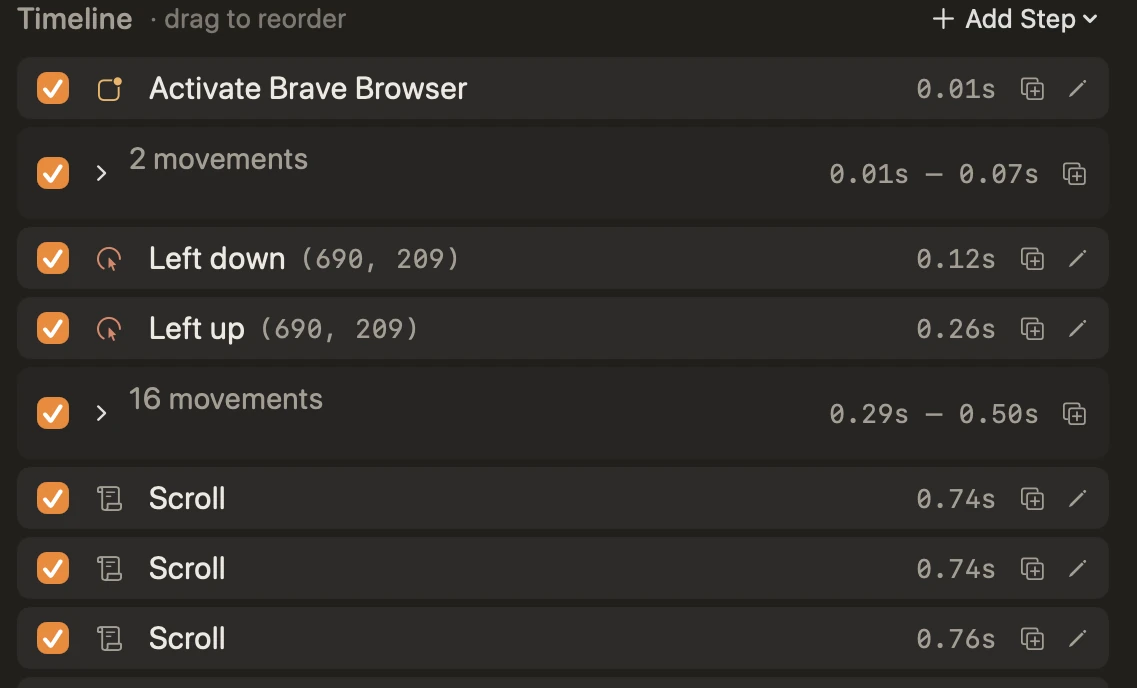
Full cursor paths, every click and drag, scrolling, and typing with modifiers. Not a rough approximation — the actual motion, at the speed you made it.
Cursor paths with true inter-event timing
Keystrokes with ⌘ ⌥ ⌃ ⇧ modifiers
Scroll wheel and trackpad gestures
A Tattletail recording timeline: activating an app, then mouse movements, clicks with coordinates and scrolls — each step with its exact time offset.A Tattletail recording timeline: activating an app, then mouse movements, clicks with coordinates and scrolls — each step with its exact time offset.
App-aware replay

Replays land where they should

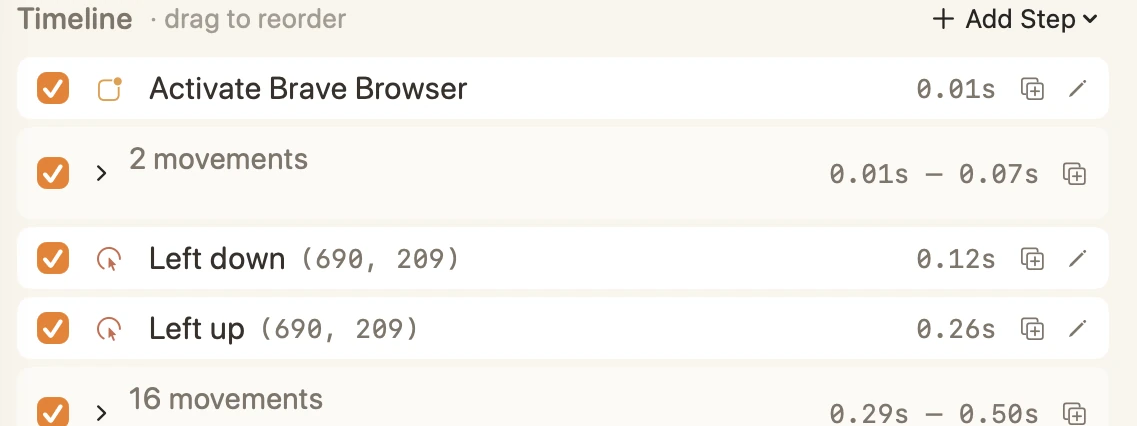
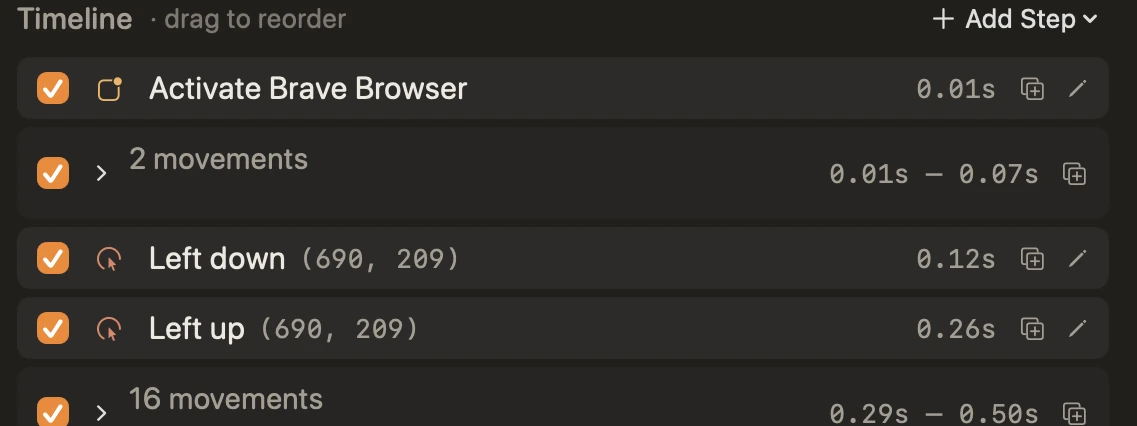
Tattletail remembers which app you were using and brings it back to the front — launching it if it isn't running — before the first click fires.
Front app restored, then replayed
Launches the app if it's closed
A Tattletail timeline whose first step activates Brave Browser, bringing the recorded app to the front before the first click fires.A Tattletail timeline whose first step activates Brave Browser, bringing the recorded app to the front before the first click fires.
Flexible playback

¼× to 4×. N times. Or until you say stop.

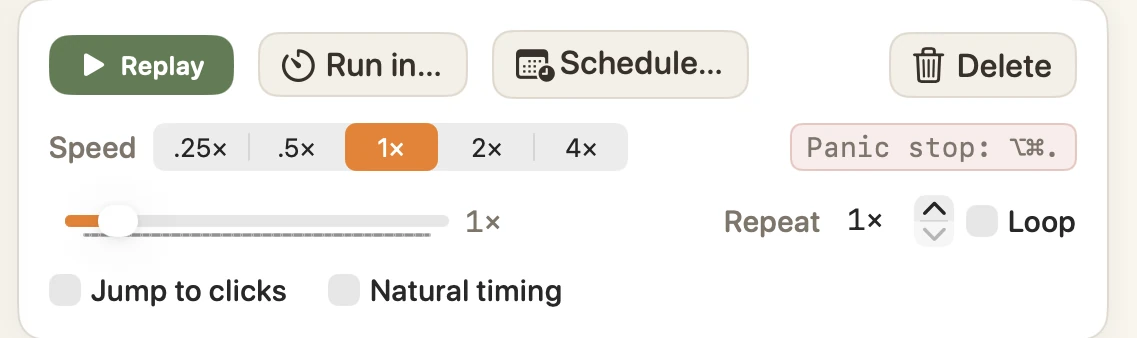
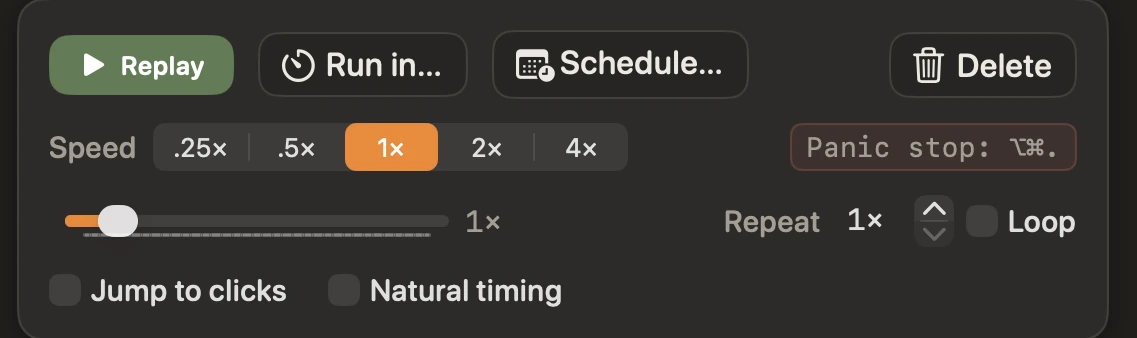
Slow a fiddly drag down to a crawl, or blast through a hundred passes of the same form. Loop until stopped when you don't know the count yet.
Speed from ¼× to 4×
Repeat N times, or loop forever
Tattletail’s replay controls: a Replay button, playback speed from ¼× to 4×, a repeat count and loop toggle, and a panic-stop shortcut.Tattletail’s replay controls: a Replay button, playback speed from ¼× to 4×, a repeat count and loop toggle, and a panic-stop shortcut.
Scheduling

“Run in 10 seconds.” “Run Tuesday at 9:15.”

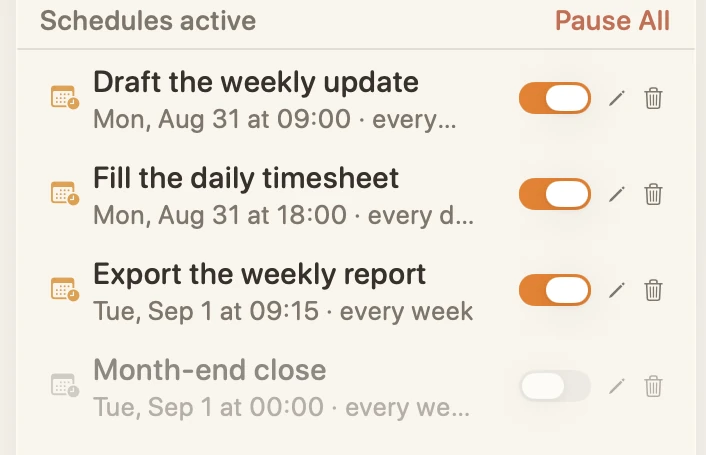
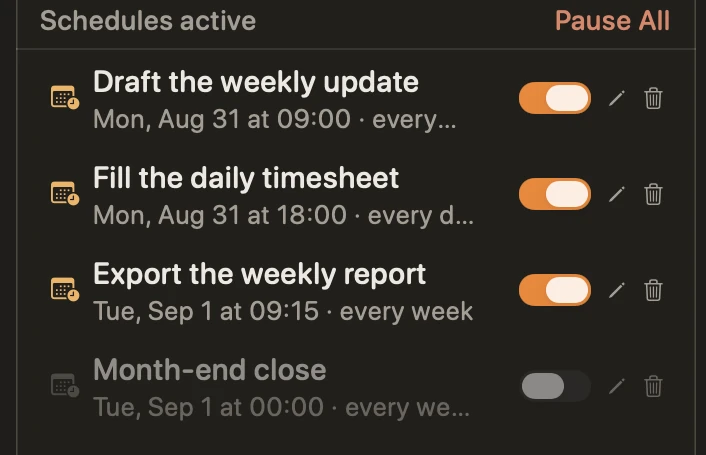
Set a countdown to get your hands off the keyboard, or pick a date and time with optional hourly, daily or weekly repeats.
Countdown before the first event
Hourly, daily or weekly repeats
Tattletail’s Scheduled tab listing scheduled replays with their next run time and daily or weekly repeats, one of them paused.Tattletail’s Scheduled tab listing scheduled replays with their next run time and daily or weekly repeats, one of them paused.
A real library
Name, organise, duplicate and edit saved recordings. Turn single steps off without deleting them.
Panic stop
⌥⌘. instantly halts any replay, from anywhere — even mid-drag, even if the replay stole your cursor.
Universal binary
Native on Apple Silicon and Intel Macs. One download, no Rosetta, no separate builds.
Free vs Paid

Everything's free. $19 unlocks the power tools.

The free edition on GitHub runs the whole record → edit → replay → schedule loop. Paid adds six power features:

Scheduled tab
Run History
Jump to clicks
Natural timing
Import / Export
Folders
Compare editionsEverything else is in the free edition.
Permissions & privacy

A keystroke recorder should be honest about it

Tattletail needs two macOS permissions to do its job. It asks nicely on first launch, explains what each one is for, and works with whatever you grant. Nothing leaves your Mac.

Accessibility
Lets Tattletail move your cursor and press your keys during a replay.
Input Monitoring
Lets it see the events while you record. Password fields are blocked by macOS and never captured.
No network, ever
Recordings live only in ~/Library/Application Support/Tattletail/
Free & paid

Try it free. Upgrade when you want the power tools.

Grab the free edition on GitHub and run the whole loop today. When you want the Scheduled tab, Run History, natural timing, Import/Export and Folders, $19 unlocks them — one time, no subscription.

Download free
Secure checkout by Stripe